
Get the most out of Airtable
Connecting Airtable with Rows gives you the power to easily exchange data between the two platforms, all in a spreadsheet.
Use cases
Things you can do when using Airtable with Rows include:
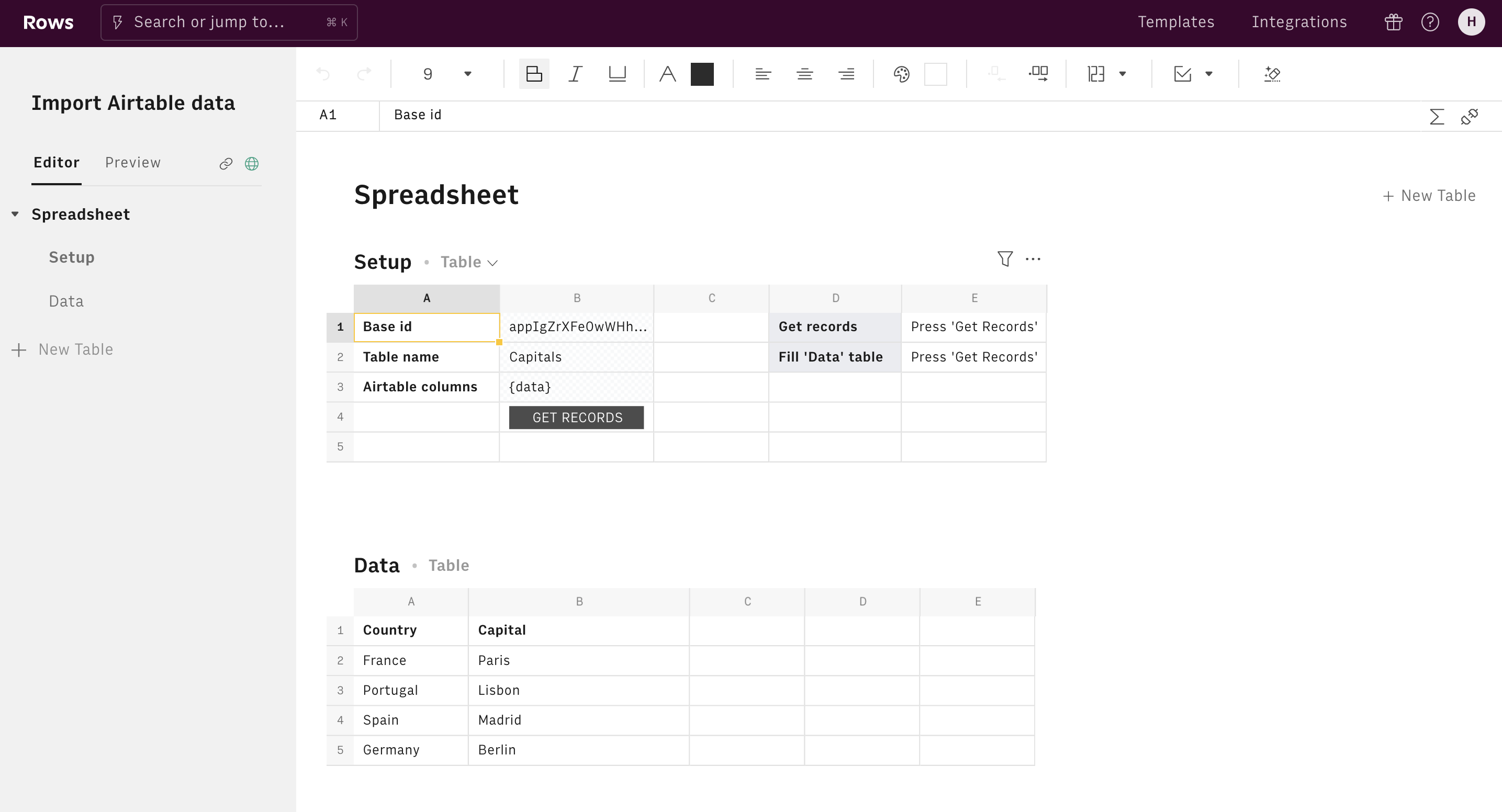
- Import data from an Airtable base in Rows.
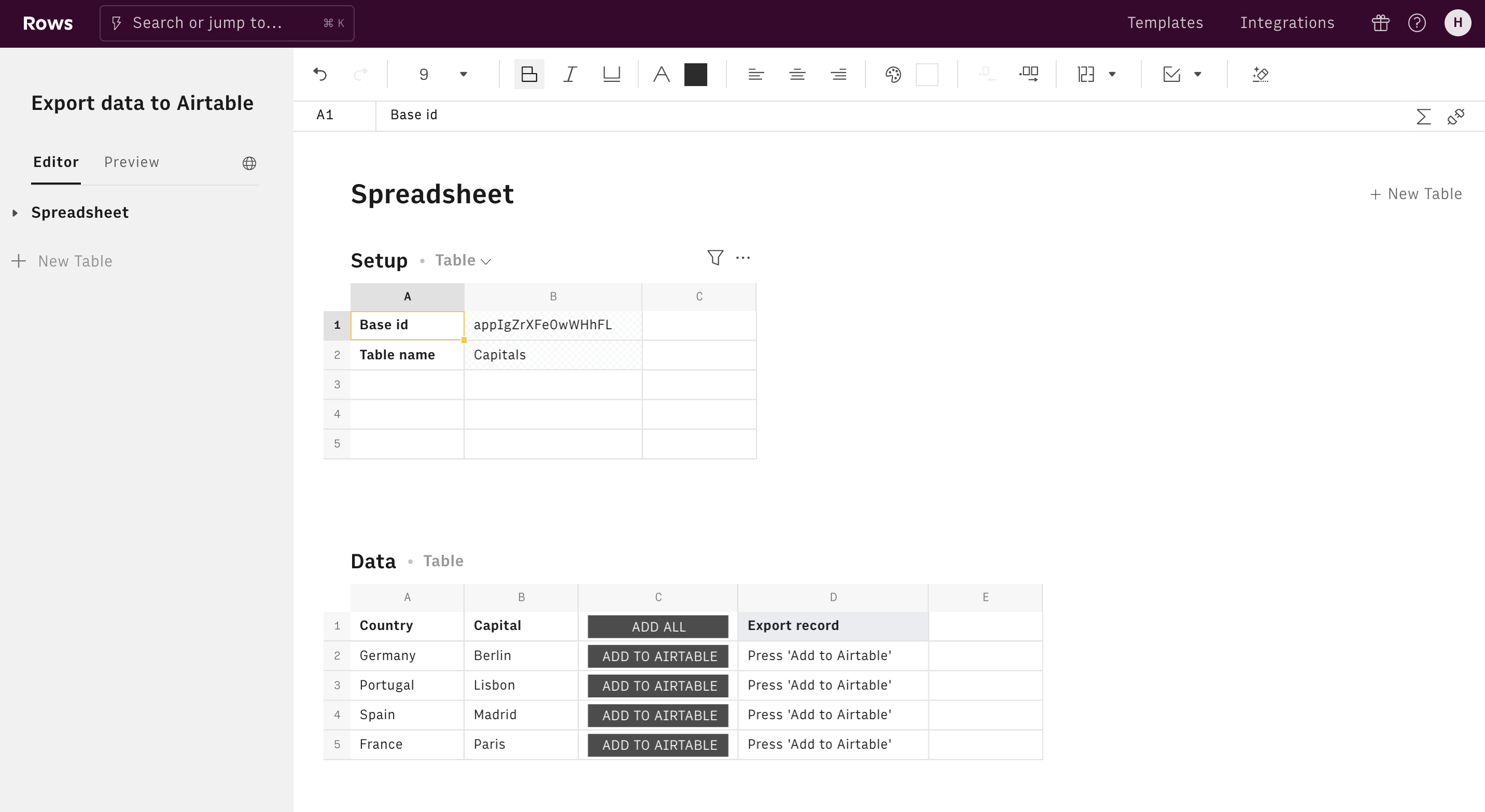
- Export data from a Rows spreadsheet to an Airtable base.
About Airtable
Airtable is a platform for building collaborative applications. Integrate with all your favorite apps and services. Users can create a database, set up column types, add records, link tables to one another, collaborate, sort records and publish views to external websites.
airtable.com/ADD_OR_UPDATE_RECORD_AIRTABLE
Add or update data columns in an Airtable base by defining the base ID, the table name, and the name of the columns.
GET_RECORDS_AIRTABLE
Get data columns from an Airtable base by defining the base ID, the table name, and the fields available on the table.