10 Best Cash Flow Statement Template in 2026 (updated)


Have you ever found yourself wondering where your hard-earned money went?
Every dollar counts as a small business or freelancer, and keeping track of expenses can feel overwhelming. You try to recall what you spent or who you paid, but the answers never come fast enough.
The fix is simple: a cash flow template that gives you clarity and control over your finances."
In this article, we've outlined a list of 10 best cash flow statement templates to keep track of cash flow in and out of your account.
What is a cash flow template?
A cash flow template is a tool used to track and analyze the money coming in and going out of a business or personal finances over a specific period. It provides a clear picture of your cash position, helping you understand where your money is coming from and where it's being spent.
What makes a good cash flow template?
A top-notch cash flow template starts with a clean, intuitive interface and a solid core structure that makes understanding your finances effortless.
Bonus points go to templates that add intelligence and automation, helping finance managers to streamline otherwise manual and tedious tasks, such as importing transactions, categorizing data, and offering insights that help you plan ahead with minimal manual effort.
To sum up, a good cash flow template should come with:
1. Core cash flow structure
Clear tracking of beginning cash balance, cash inflows, cash outflows, net cash flow, and ending cash balance to maintain full visibility over liquidity across periods.
2. Automated data ingestion
Ability to automatically pull transactions and balances from bank accounts and payment providers (e.g. Stripe) to keep cash flow always up to date,
3. Document data extraction
Ability to extract and categorize quantitative data from documents such as bank statements, invoices, and financial reports (PDFs or images).
4. AI-powered analysis & modeling
AI features that enable scenario analysis, sensitivity analysis, forecasting, and advanced cash flow modeling without manual setup.

Cash Flow, automated.
Rows lets you automate your cash flow models with live data from your bank accounts.
Get Started (free)Review of the 10 best cash flow statement templates in 2025
Below is a review of the 10 best cash flow statement templates, featuring a brief description of what each template entails
1. Rows indirect monthly and annual cash flow template
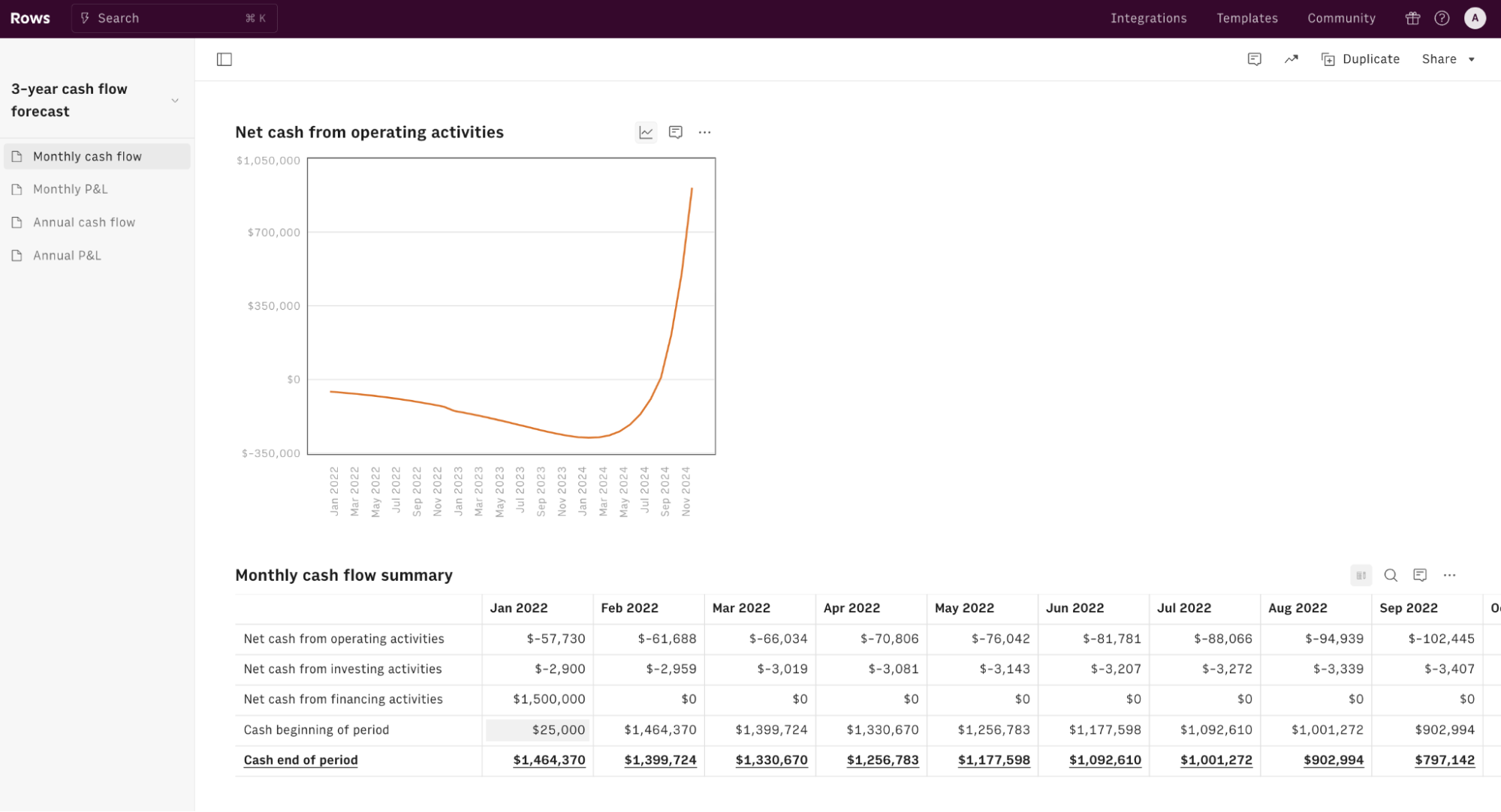
This template allows you to monitor all the main streams of cash in your company, every month and annual basis, using the indirect method - that starts from the net income and adjusts it for non-cash expenses (e.g., depreciation) and changes in working capital (e.g., accounts receivable, inventory). To do so, it uses data from a simple P&L model.
For example, If a company reports $100,000 in net income but includes $10,000 in depreciation expense (a non-cash charge), the depreciation is added back to calculate operating cash flow. Alternatives, If net income is $100,000, but accounts receivable increased by $20,000 (indicating sales were made on credit), the $20,000 is subtracted from net income to reflect actual cash received.
The template is made in [object Object], a spreadsheet-based platform used by modern business teams to gain autonomy over their data. Thanks to its AI Analyst, you can ask questions in plain language and Rows will handle the rest, whether that's spreadsheet operations, data import or transformations, or running Python code to do code-level analyses.
How Rows’ cash flow template works:
Step 1: Visit the Rows cash flow template page.
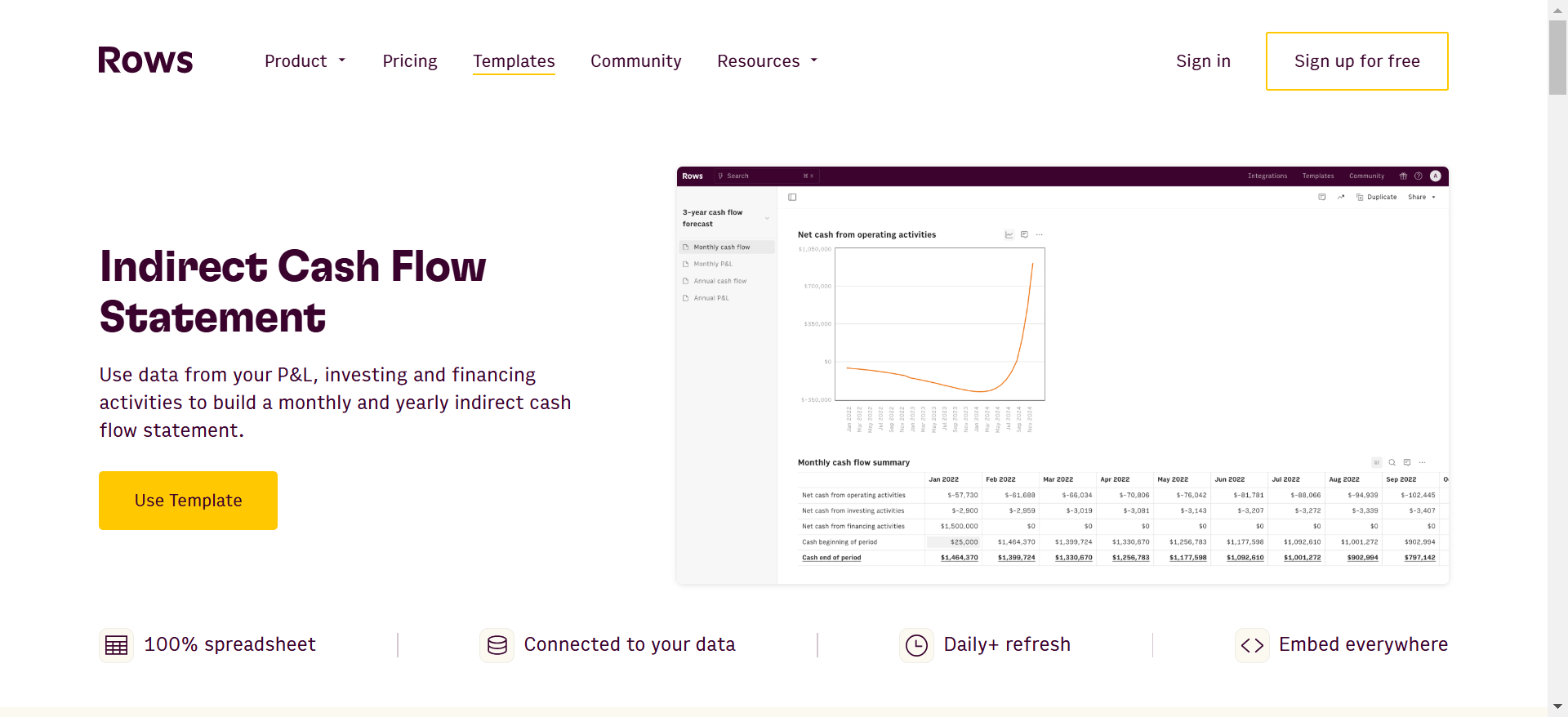
Step 2: Click the “create spreadsheet” to create a fresh spreadsheet for your cash flow report.
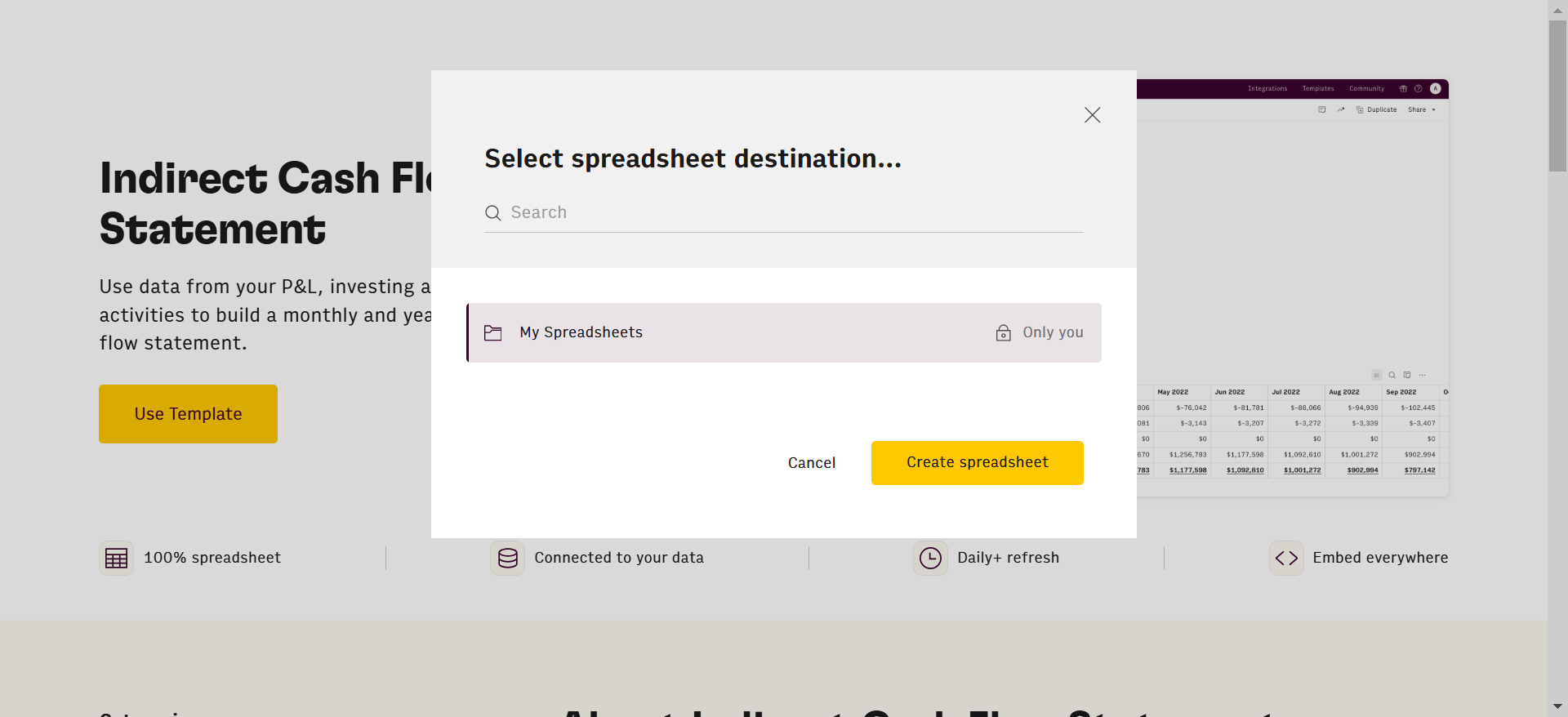
Once you are done with step 2, you'll see a layout of instructions.
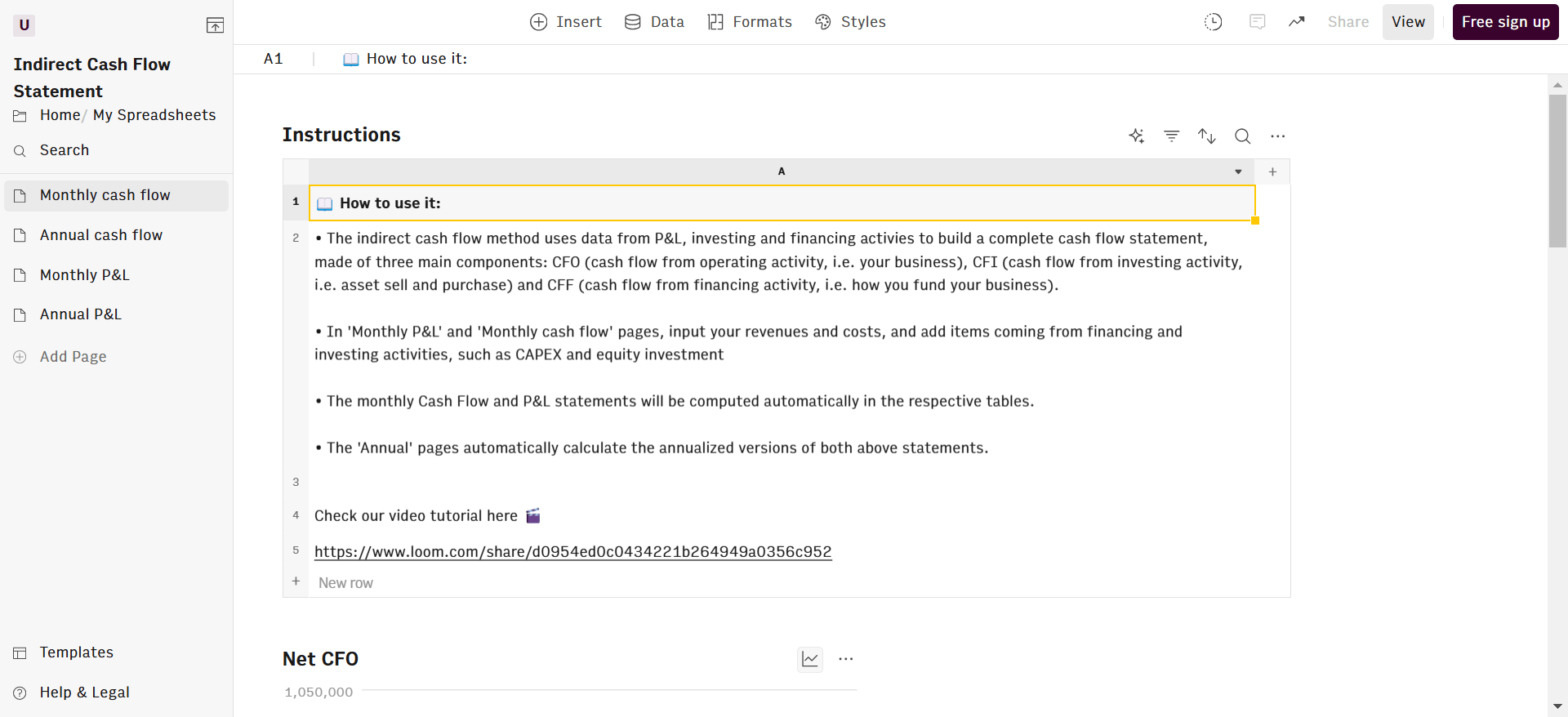
Input your revenues and costs on a monthly basis, and add items coming from financing and investing activities, such as CAPEX and equity investment.
The monthly Cash Flow and P&L statements will be computed automatically, together with the respective annual versions.
What makes this template stand out?
It comes with a built-in AI copilot, called the AI Analyst. It helps you automate a series of otherwise tedious or complex tasks that are often connected to financial statements such as:
Spreadsheet operations: Automatically builds and maintains formulas, aggregates/disaggregates data (sums, totals, variances), reconciles expenses across different tables, and updates cash flow calculations accordingly. For example:
Data ingestion: Connects to external data sources like Stripe and bank accounts to import transactions and balances directly into the cash flow statement without manual entry. Watch the demo below:
PDF/Image extraction: Extracts financial data from invoices, bank statements, or receipts provided as PDFs or images and maps them into the correct cash flow categories. See it ingesting and organizing batches of invoices:
Code-level analyses: Runs Python behind the scene if you need complex scenario and sensitivity analysis, runway and burn-rate modeling, stress-testing cash positions, and simulating the impact of delayed payments or cost changes on future cash balances. Watch it side by side running a price sensitivity analysis against Google Sheets:
It's ready to be presented to investors or partners, with 4 well-organized and tidy sections: monthly cash flow, annual cash flow, monthly P&L and annual P&L. Unlike other templates, this one comes in as a double edged sword—as it typically shows you an overview of both monthly and annual cash flow outcomes.
Curious to discover how Rows can help streamline other finance tasks? Check out our Vibe Analytics guide for CFOs.
2. Google Sheets simple cash flow template
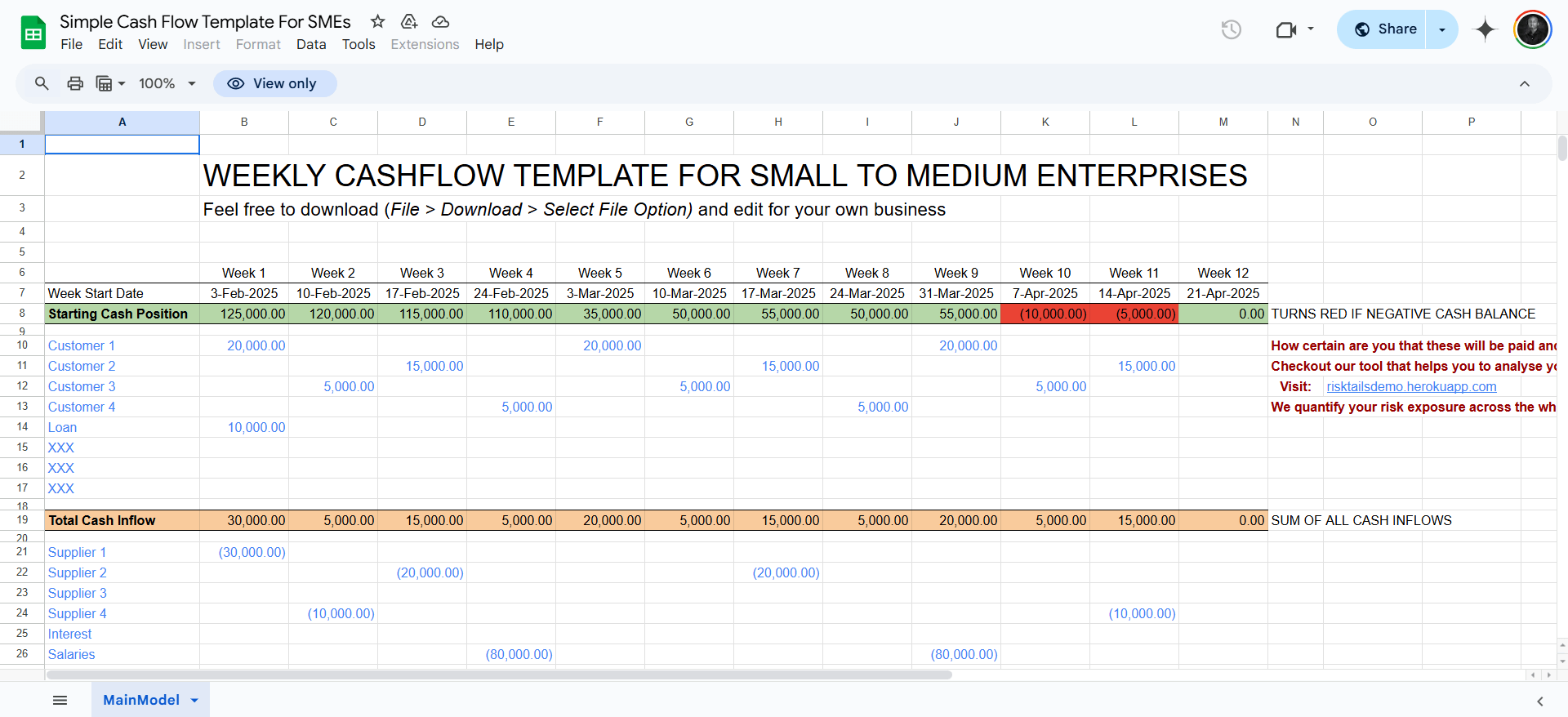
This template is designed specifically for small to medium-sized enterprises to monitor their weekly cash flow. It provides a straightforward layout where businesses can input their cash inflows and outflows, helping to maintain a clear overview of their financial position. The template is customizable, allowing you to tailor it to your specific business needs.
3. Excel cash flow template
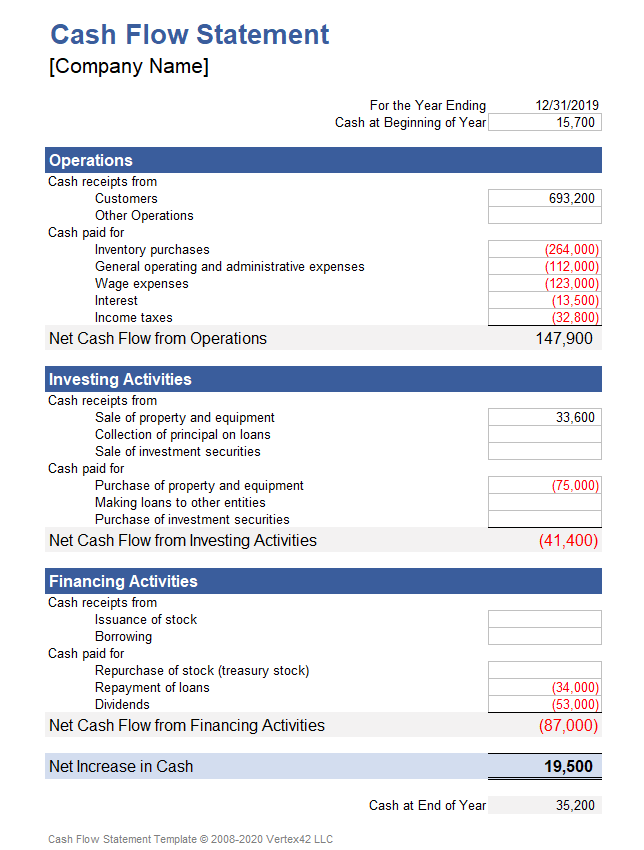
Vertex42 offers a comprehensive Excel template designed to help businesses track their cash inflows and outflows across operating, investing, and financing activities. The template includes both annual and monthly worksheets, allowing for detailed financial analysis over different periods
4. Cash Flow statement template by Wise
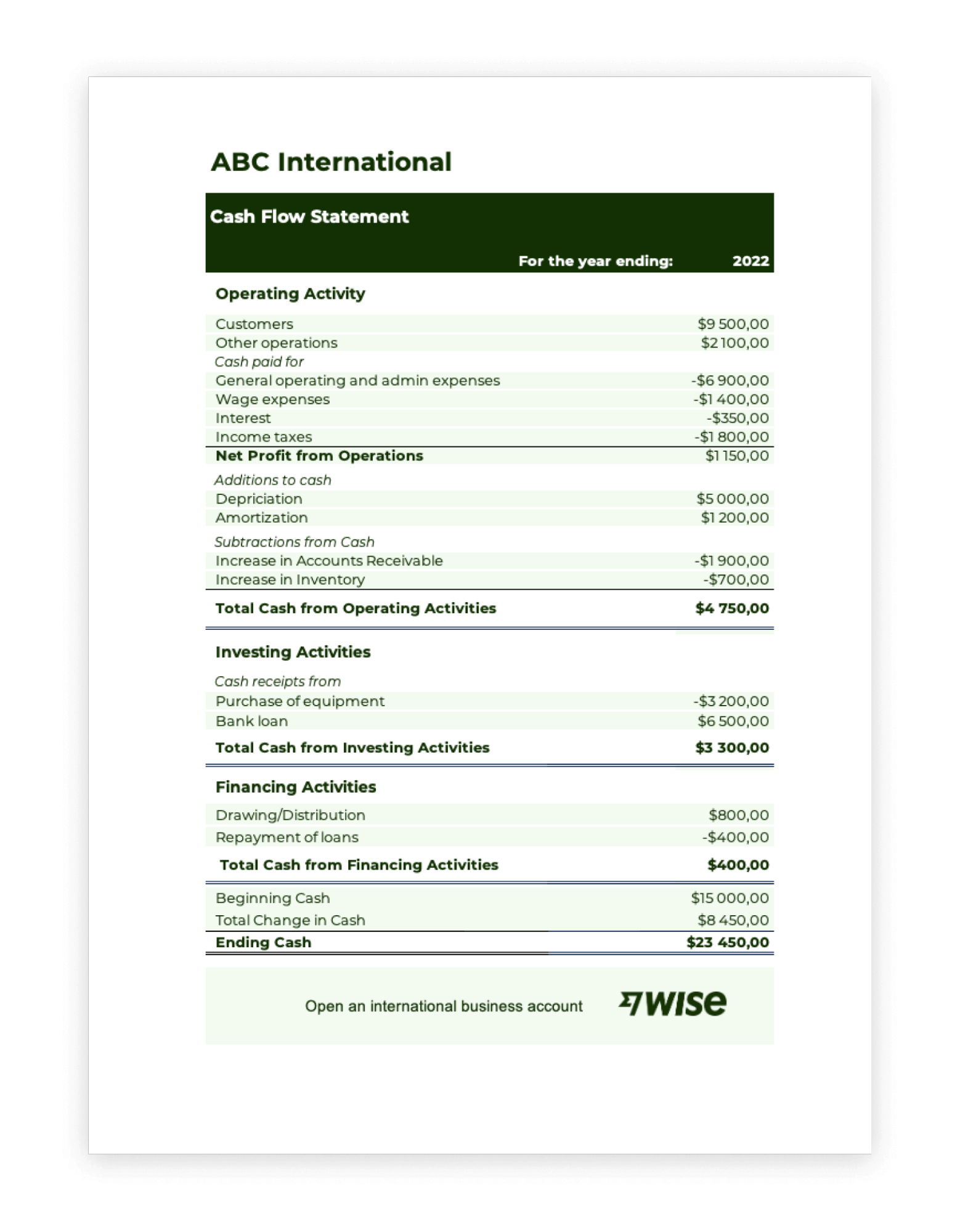
This cash flow statement template which is used alongside a company balance sheet and income statement to review the financial performance of a business. It categorizes cash flow into operating, investing, and financing activities, providing a detailed snapshot of financial health without overwhelming users with unnecessary complexity.
5. Monthly cash flow template by Coefficient
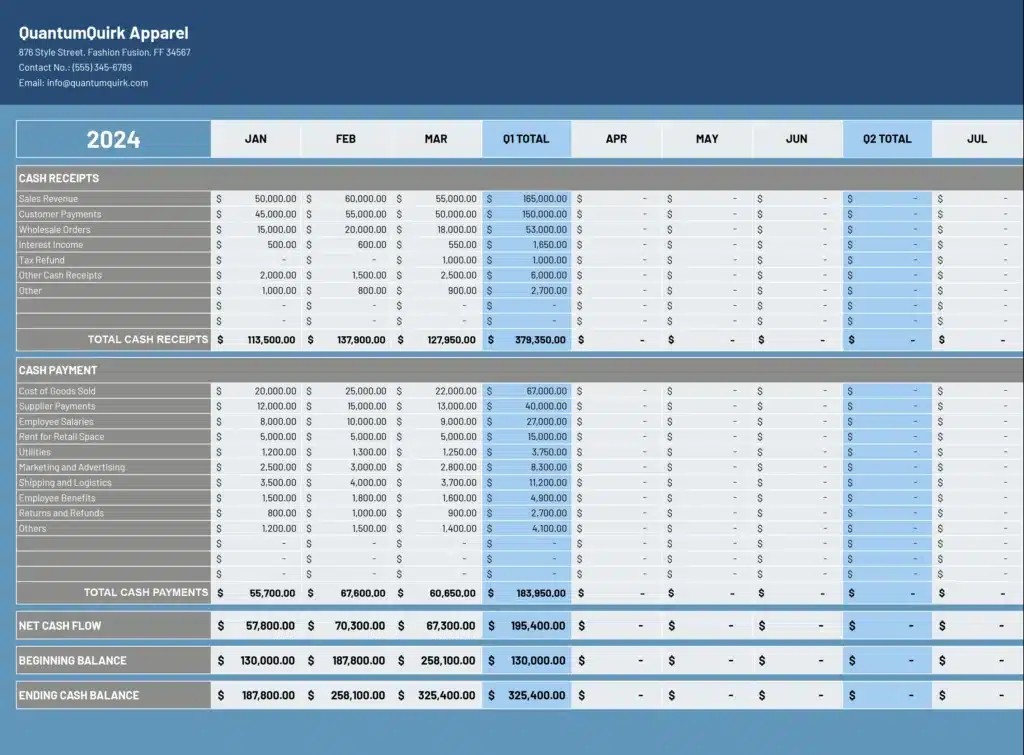
The Monthly Cash Flow Statement Template helps businesses track and analyze their cash inflows and outflows over a specific period. With pre-built formulas and structured sections, this spreadsheet simplifies financial planning by categorizing operating, investing, and financing activities.
You can input revenue, expenses, and other financial transactions to automatically calculate net cash flow, ensuring a clear view of liquidity trends.
Cash Flow, automated.
Rows lets you automate your cash flow models with live data from your bank accounts.
Get Started (free)6. Vergo's Construction Cash Flow Statement Template
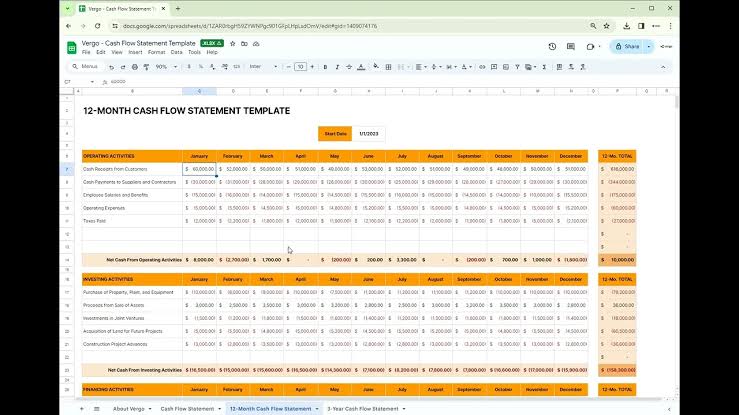
The Construction Cash Flow Statement Template is designed to help contractors, buildes, and project managers track the movement of cash throughout a construction project. This template provides a structured breakdown of income from project payments, expenses like labor and materials, and financing activities.
7. QuickBooks Cash Flow Statement Template
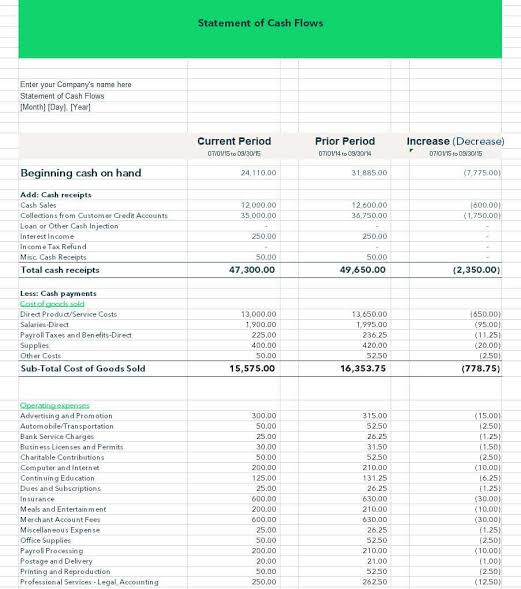
The QuickBooks Cash Flow Statement Template is a professionally designed tool for tracking business cash flow with ease.
Unlike generic templates, this one follows standard accounting principles and integrates seamlessly with QuickBooks, making it ideal for businesses already using Intuit’s financial ecosystem. It categorizes cash activities into operating, investing, and financing sections, helping users identify trends and optimize financial management.
8. Xero's Cash Flow Statement Template
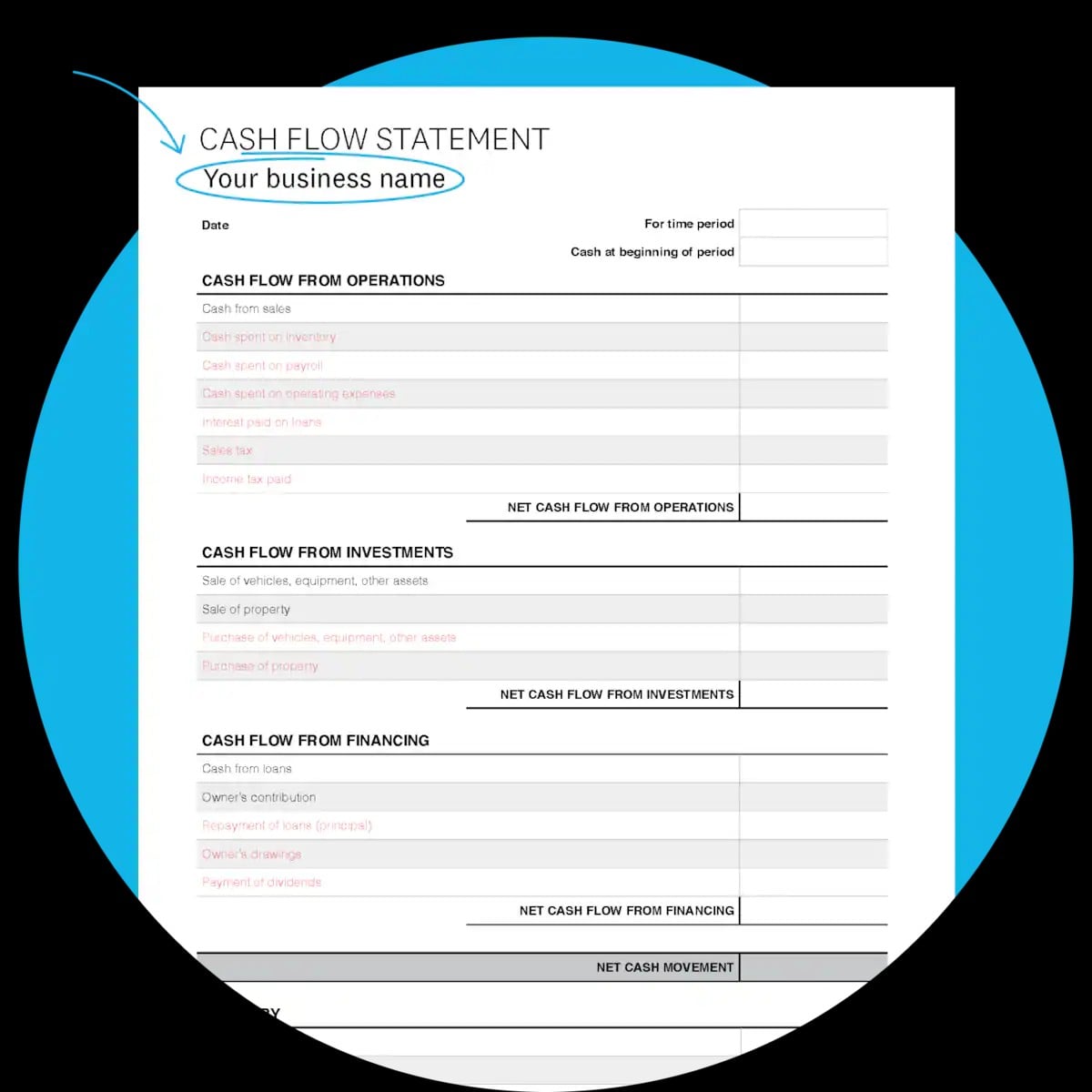
The Xero Cash Flow Statement Template is a well-structured financial tool designed to help businesses track and manage cash movement effortlessly.
What sets this template apart is its seamless compatibility with Xero’s accounting software, making it an excellent choice for businesses already using Xero for financial management.
9. CFI cash flow statement template
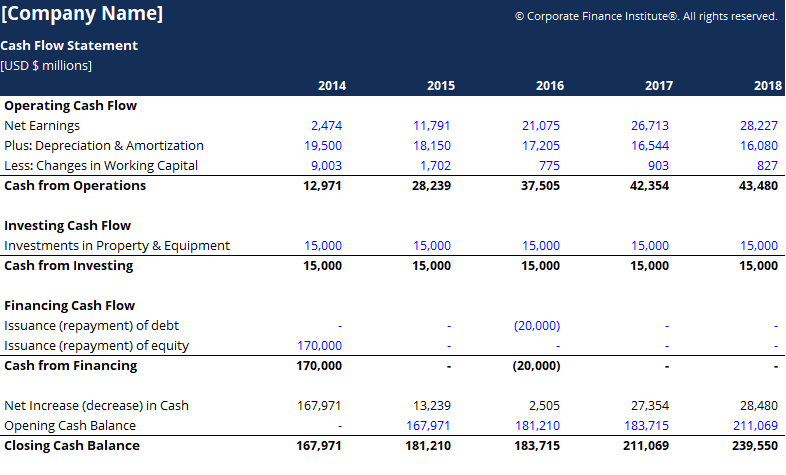
The Corporate Finance Institute (CFI) Cash Flow Statement Template is a professional-grade financial tool designed for businesses and finance professionals.
This template provides a structured framework for recording cash inflows and outflows across operating, investing, and financing activities. It follows both direct and indirect cash flow methods, making it adaptable for different financial reporting needs.
10. SCORE 12-month cashflow statement template
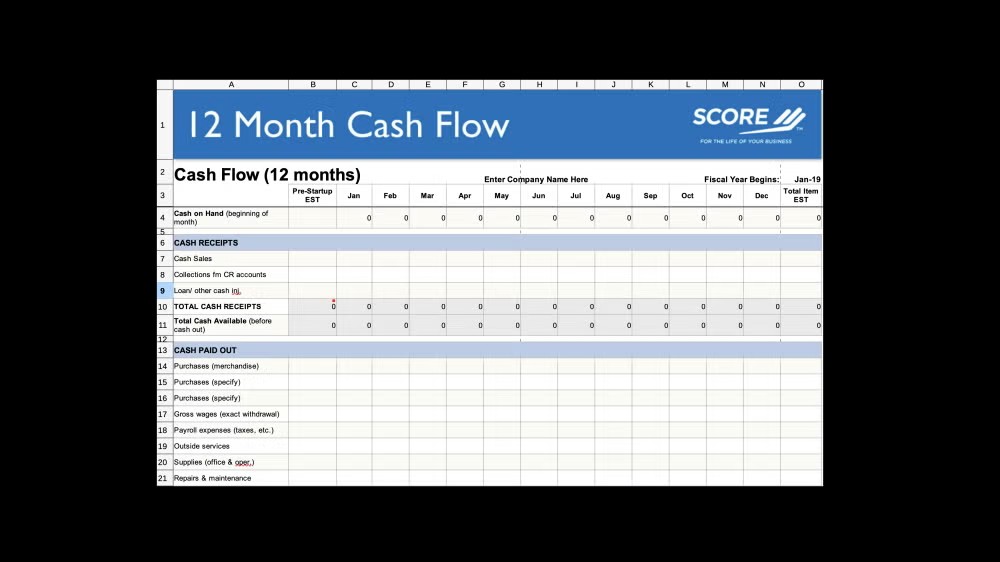
SCORE offers a 12-month cash flow statement template designed to help businesses project their cash flow over a year.
This template is particularly useful for startups and small businesses aiming to plan for future financial scenarios and manage liquidity effectively. It provides a month-by-month breakdown, allowing for detailed financial planning and analysis.
Cash Flow, automated.
Rows lets you automate your cash flow models with live data from your bank accounts.
Get Started (free)
[Free Resource] [object Object]cash flow projections template
One more thing: Rows also has a cash flow template that is powered by our Bank Account integration, so you can connect your bank, get live transaction data, and automate your cash flow tracking effortlessly.
Rows' financial projection template is a template that forecasts financial models over a 91-97 days period, which makes 13 weeks. It shows expected money coming in and going out on a week-by-week basis, helping you plan your finances.
This timeframe works well because it's long enough to plan ahead but short enough to stay accurate. While yearly forecasts become outdated and monthly views miss important patterns, a 13-week view gives you the right level of detail to make decisions.
How to use Rows’s cash flow projections template
As illustrated above, follow the same steps to use the template effectively:
- Step 1: Visit the 13-week cash flow model page.

And navigate to the top section of the page. Click on “use template”.
- Step 2: Click on “create spreadsheet”.
This will enable you access the pre-built template on a new spreadsheet.
- Step 3: You need to configure your bank account to Rows before you use this financial projection. Rows needs to access your bank account through Plaid to be able to analyze cash inflows and outflows.
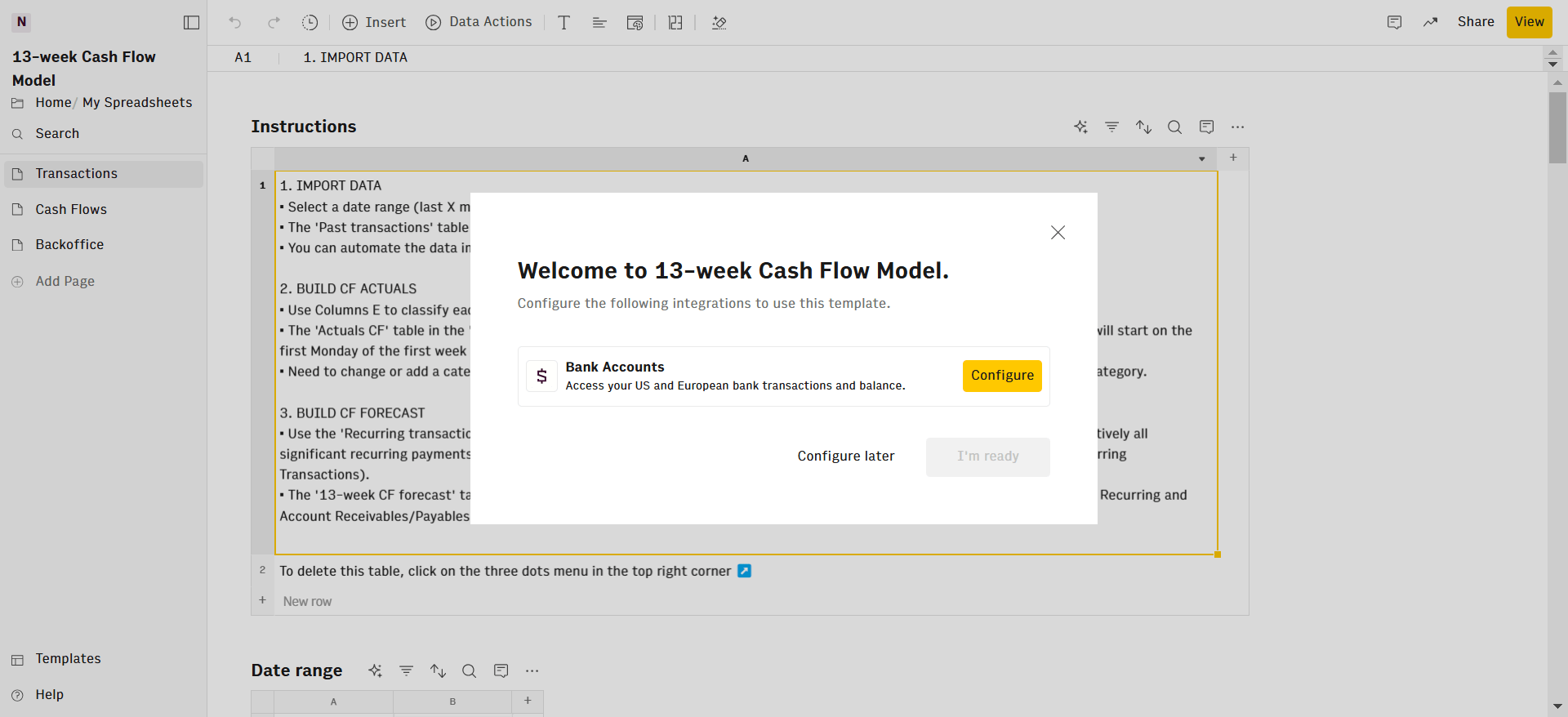
- Step 4: Pick your date range in the 'Transactions' page. By default it’s the last month, but you can choose a longer period.
The ‘Past transactions' table updates automatically using your bank data. Use columns E to categorize each of them. This will automatically populate the Actual CF table.
To project future weeks cash flows::
Use 'Recurring transactions' for regular payments like rent, salaries or subscription fees. Both incoming and outgoing.
Add future one-off bills in 'Next 13-week Account Payables'
List expected one off incoming flows in 'Next 13-week Account Receivables', such as client payments or returning deposits.
The cash flows section features 14 Rows of actual cash flows from different sources. The 'Cash Flows' page creates your weekly cash report automatically.
The '13-week CF forecast' table shows future estimates. Everything starts from the first Monday in your data.
Customize Use the 'Backoffice' table to add or change categories. Just add a row and type in new category names as needed.
Conclusion—Start using Rows Cash flow statement template
There you have it, a review of the best cash flow statement templates on the net. It's time for you to start tracking every single penny that flows in and out of your bank account.
That said, you can start with Rows's cashflow statement template—without paying a penny. Plus, we offer more advanced automation functionality than other templates on the list.
Whether you want to track your business cash flow or your personal cash flow, we've got you covered.
Plus, we've been reviewing lots of finance tools lately, you might want to read a few carefully: