Best AI Tools That Turn Data Analysis Into Instant Insights


Data analysis doesn’t have to be tough… but it sure feels that way sometimes, right?
Maybe you've already tried pasting data into ChatGPT for analysis only to burn through your limit. Or you opened a free trial for a BI tool and felt instantly overwhelmed.
So now, you're probably stuck in that familiar cycle: download a CSV from Google Analytics, another from BigQuery, paste them into separate sheets, manually match the date columns, and pray your VLOOKUP formula doesn't break.
Worry not, you’re in the right place. Instead of a simple "top 10" list, we're giving you a decision framework based on three distinct "lanes" of AI data analysis. Each lane solves different problems for different team sizes, skill levels, and data volumes.
After all, if you’re looking for AI-first analysis, you don’t want to waste time testing tools that weren't built for your workflow. We’ve categorized the top options so you can skip straight to the one that fits your needs.
Can I use AI tools for data analysis?
Yes, of course you can (this would be a pretty short article if the answer were no). Fact is, you're probably already using them without realizing it.
AI enhances data analysis by understanding your data and performing both generative and analytical tasks without requiring you to write complex formulas manually. Here are some examples:
Cleans messy data (fixing date formats, removing duplicates, standardizing text).
Identifies patterns you might miss (seasonal trends, correlations between variables).
Generates insights in plain English instead of requiring complex formulas.
Runs statistical tests (t-tests, regression analysis) without needing a statistics degree.
But here's the honest part: AI is not magic.
Its accuracy depends entirely on two things: self-explanatory data structure (consistent, clear headers so AI doesn't need to guess what your columns mean, proper date formatting) and clear prompts (telling the AI exactly what you want, not just "analyze this").
However, human validation remains non-negotiable. You still need to check that the conclusions make sense, verify the calculations, and apply business context.
For a deeper dive into how AI transforms data analysis workflows, see our complete guide: AI data analysis.
How to choose the best AI tool for data analysis
There's no single "best" tool – only the right tool for your specific situation.
Most comparison articles mix three fundamentally different categories into one confusing list. That's like comparing a bicycle, a sedan, and a freight truck as "best vehicles." If you’re just looking to take your kids to school, a couple of those options are disqualified already…
That’s because those vehicles solve different problems. It’s the exact same with AI data analysis. So, take a look below at the three-lane framework we’ve put together:
Tool category | Best for |
|---|---|
Lane 1: General LLMs | Tools like ChatGPT for flexible, one-off exploration of a single dataset you upload. |
Lane 2: AI-first analysts | Platforms like Rows, built specifically for automated, recurring workflows that pull data from your business tools. |
Lane 3: Enterprise BI | Systems like Tableau and Power BI for governed, large-scale reporting across entire organizations. |
Confused about how to choose your lane? Well, you’ve got to think about your needs first:
Data source and integration: Are you uploading a single CSV, or do you need to connect to live tools like GA4, Salesforce, or Stripe?
Data size and complexity: Are you working with 1,000 rows, 10,000, or 100,000+ rows?
Team and skill level: Are you a beginner working alone, or a data team managing multi-department reports?
Access and setup: Do you need browser-only access with zero installation, or offline capabilities?
Budget and scale: Do you need a free tool to start, or do you have an enterprise budget with dedicated IT support?
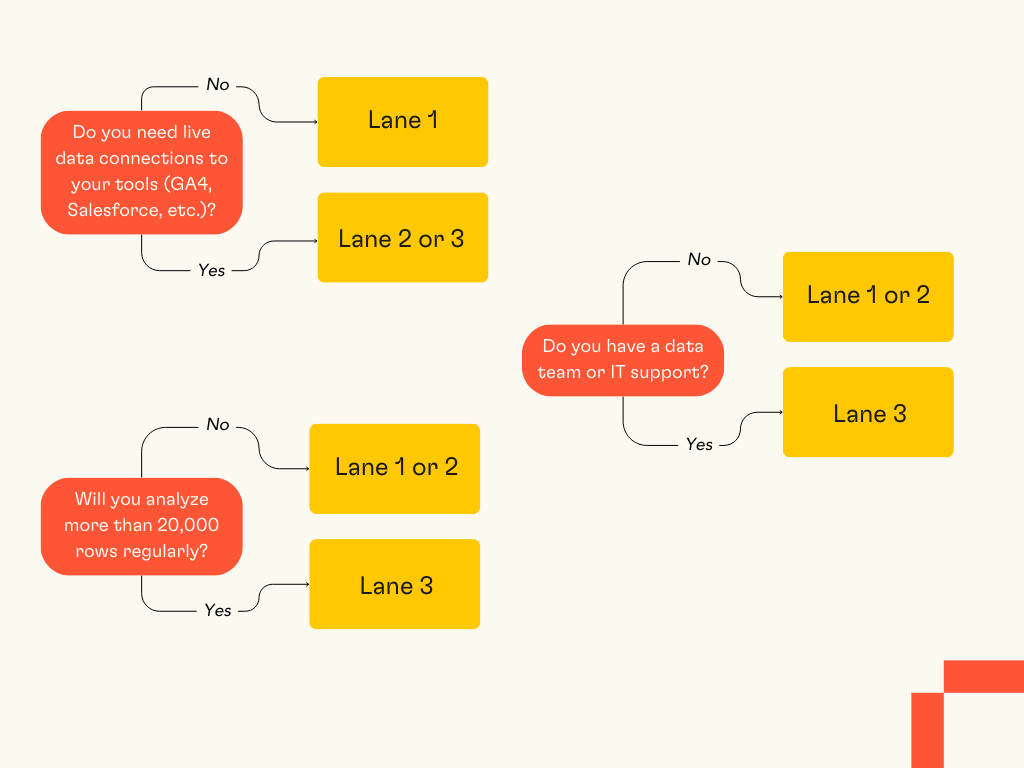
Once you’ve got a decent idea of what your needs are, we can start looking at some tools! Let’s start with the tool that can handle simple inputs first.
Lane 1: General LLMs for flexible analysis
This lane is for flexible, one-off exploration when you have a single dataset and need quick insights.
Much like the One Ring, right now, there’s one LLM to rule them all: ChatGPT.

ChatGPT remains the most widely used AI chatbot by a large margin. As of May 2025, it averaged about 122.6 million daily active users, with nearly 800 million weekly users. On average, it's fielding over 1 billion queries per day.
It's a versatile AI chatbot that can analyze data after you upload a file, like a CSV or Excel sheet. You ask questions in plain English, and it generates charts, runs statistical tests, and explains patterns in your data.
Best for:
One-off studies where you don't need recurring updates.
Learning data science concepts by asking "How would I calculate churn rate?".
Flexible exploration of a single, static dataset.
Quick hypothesis testing without writing code.
It’s pretty good if you’re looking for something simple, but there are a number of issues that you might run into:
It can’t connect directly to your business tools: No GA4, no Salesforce, no Stripe.
This lane is for flexible, one-off exploration: It’s nearly impossible to scale and regular usage, especially if you’re working in a team.
The most powerful features require a paid tier: To use Advanced Data Analysis (formerly Code Interpreter), you need ChatGPT Plus at $20/month.
🤔 Looking for a ChatGPT alternative? Try Claude
Claude (by Anthropic) offers similar data analysis capabilities to ChatGPT, with some users preferring its longer context windows for analyzing larger conversations about data. Like ChatGPT, it requires manual file uploads and can't connect to live business tools. It's worth testing both to see which conversational style suits your workflow better.
Lane 2: AI analysts for recurring team workflows
This is the lane for most data-curious business teams who need to automate recurring reports from moderate datasets.
This category has three main types:
1. Add-ins (Formula Bot)
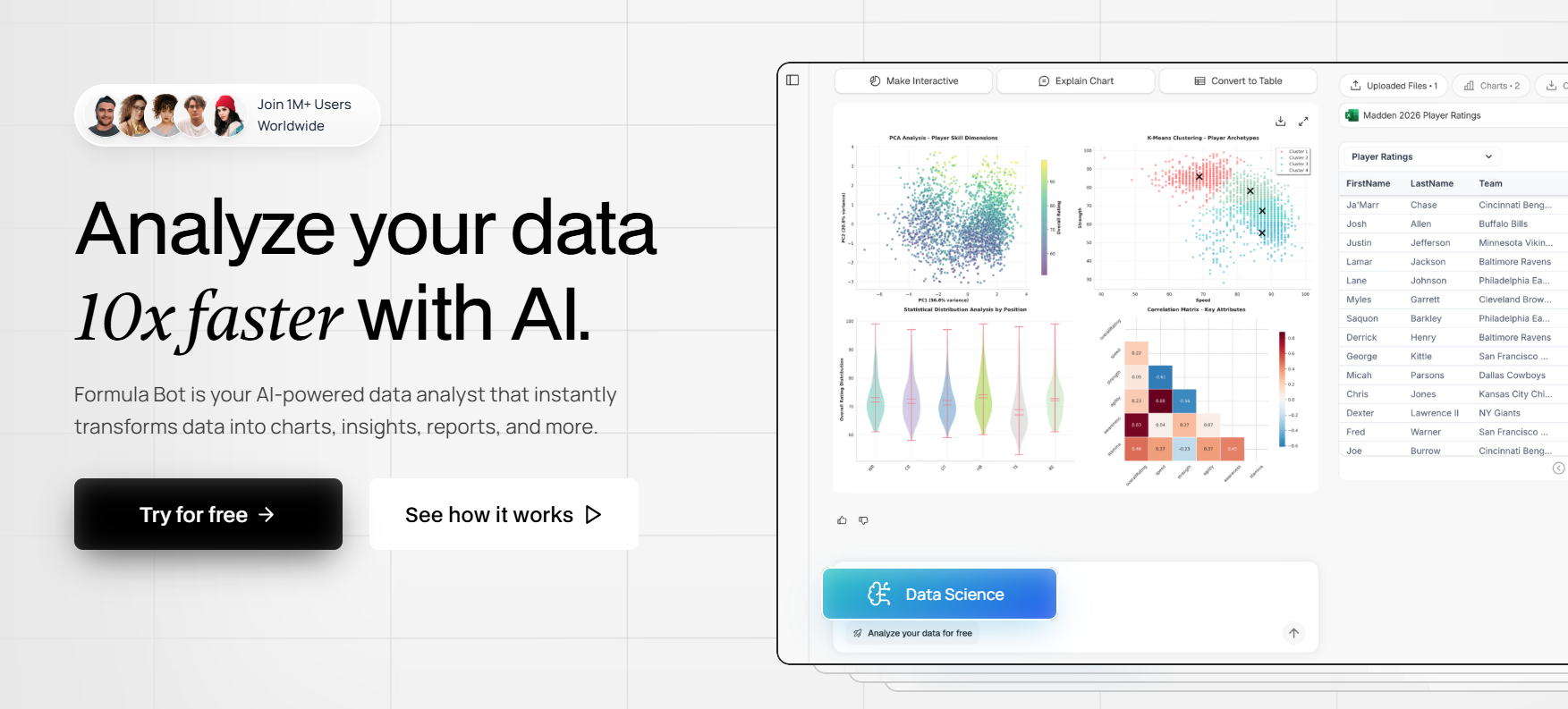
What it is: Formula Bot is primarily an add-in AI plugin that works inside your existing spreadsheets (Excel/Google Sheets).
Best for:
Making your static spreadsheet smarter with AI-powered formula generation.
Summarizing data you've already manually exported.
Teams already comfortable in Excel/Google Sheets who want AI assistance without switching platforms.
Quick formula writing for repetitive calculations.
Limitations:
It's an enhancement, not a solution – doesn't solve the "data gathering" problem.
You're still downloading CSVs and copying them into your sheet.
No native connections to live business data sources.
Note the refund exclusion after 50 requests, which means you can't get your money back once you've used it for any serious work.
Note: Formula Bot now also offers a separate web-based chat platform similar to Julius AI, but its core fame is the spreadsheet plugin.
2. Chatbots with some connectors (Julius AI)
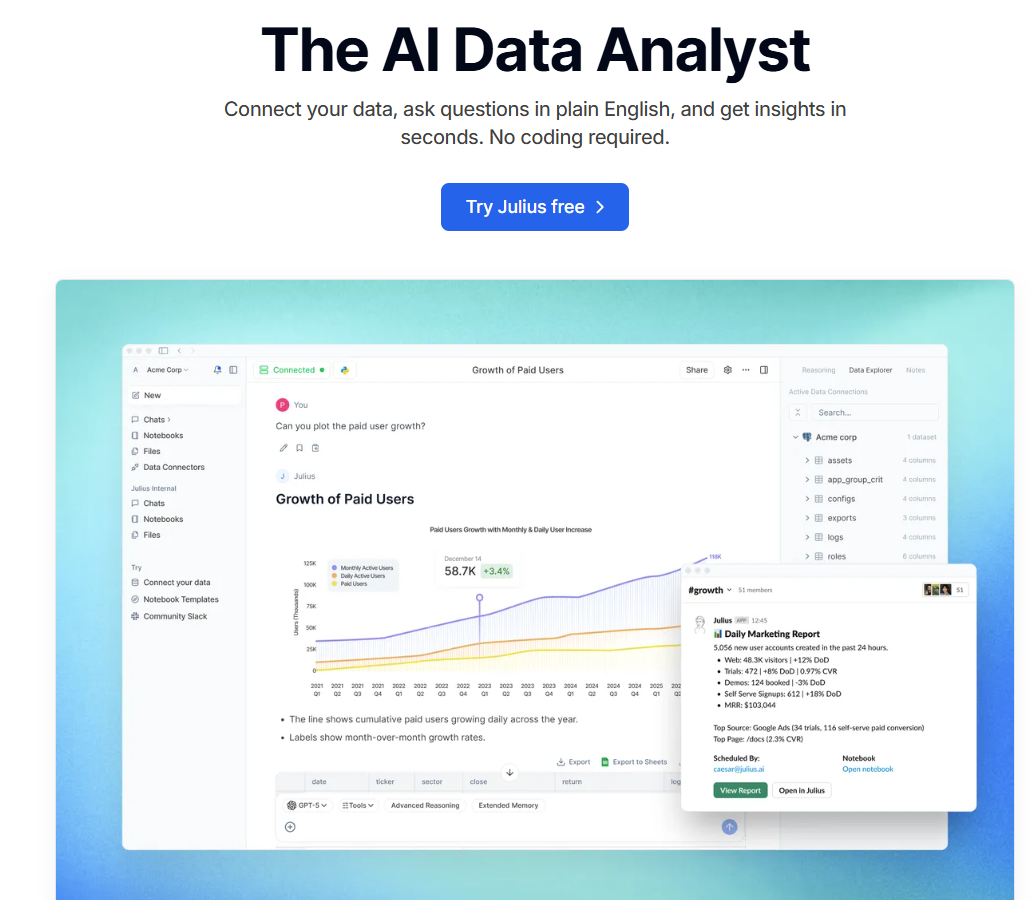
What it is: Julius AI is an AI chatbot that can connect to some live data sources (like a Google Sheet or databases).
Best for:
"One-off" analysis and exploration of live data in a conversational chat interface.
Quick questions about connected data sources without building full reports.
Non-technical users who prefer asking questions in natural language.
Rapid data exploration when you don't need to save or share the analysis.
Limitations:
It's not an end-to-end platform – analysis isn't in a persistent, interactive document.
Makes it difficult to build upon, collaborate on, or automate workflows.
Every conversation is a fresh start – you can't easily update last week's analysis with this week's data.
Limited integration depth compared to dedicated platforms.
3. End-to-end platforms (Rows)
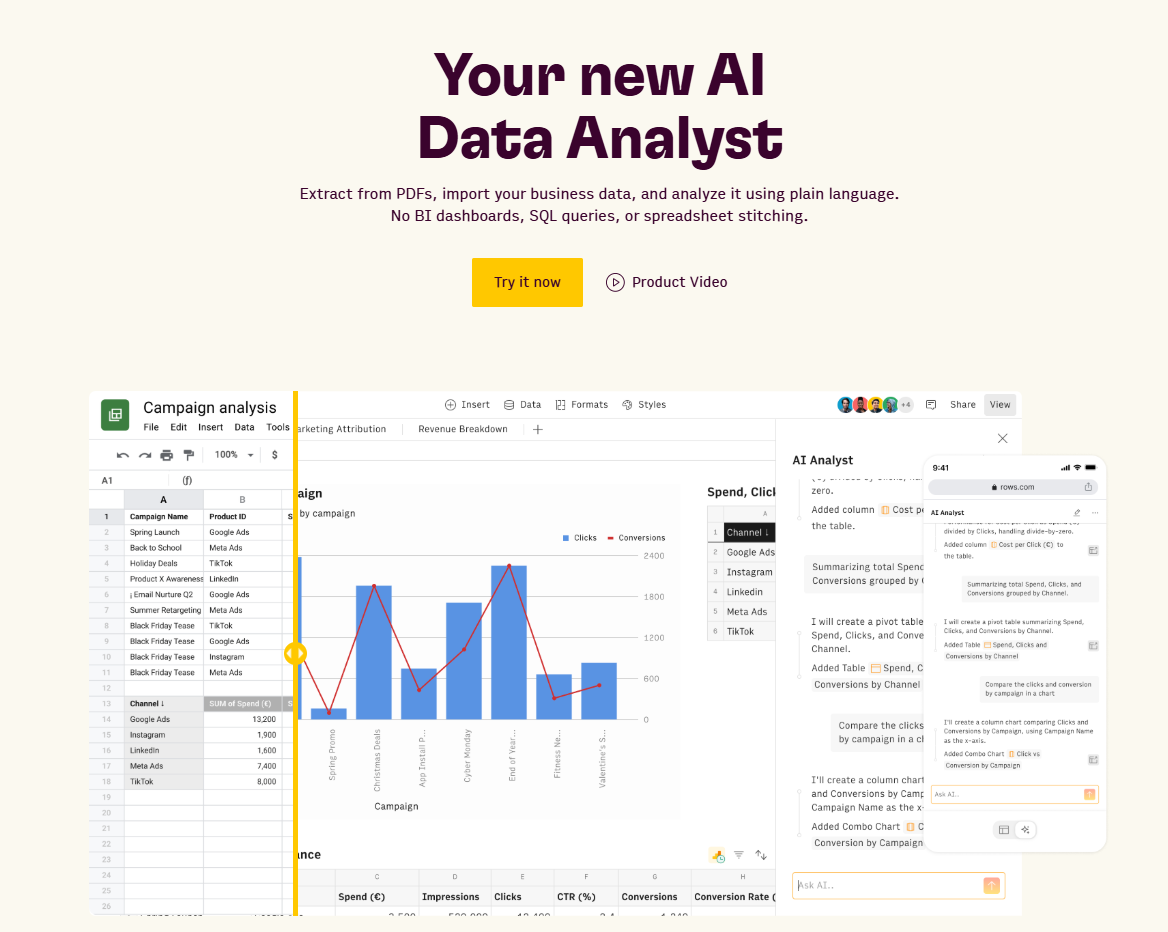
What it is: Rows is a standalone platform that combines a persistent spreadsheet interface with a powerful AI analyst and native data connections. This is the "end-to-end" solution that handles the entire process, from gathering data to sharing the final insight:
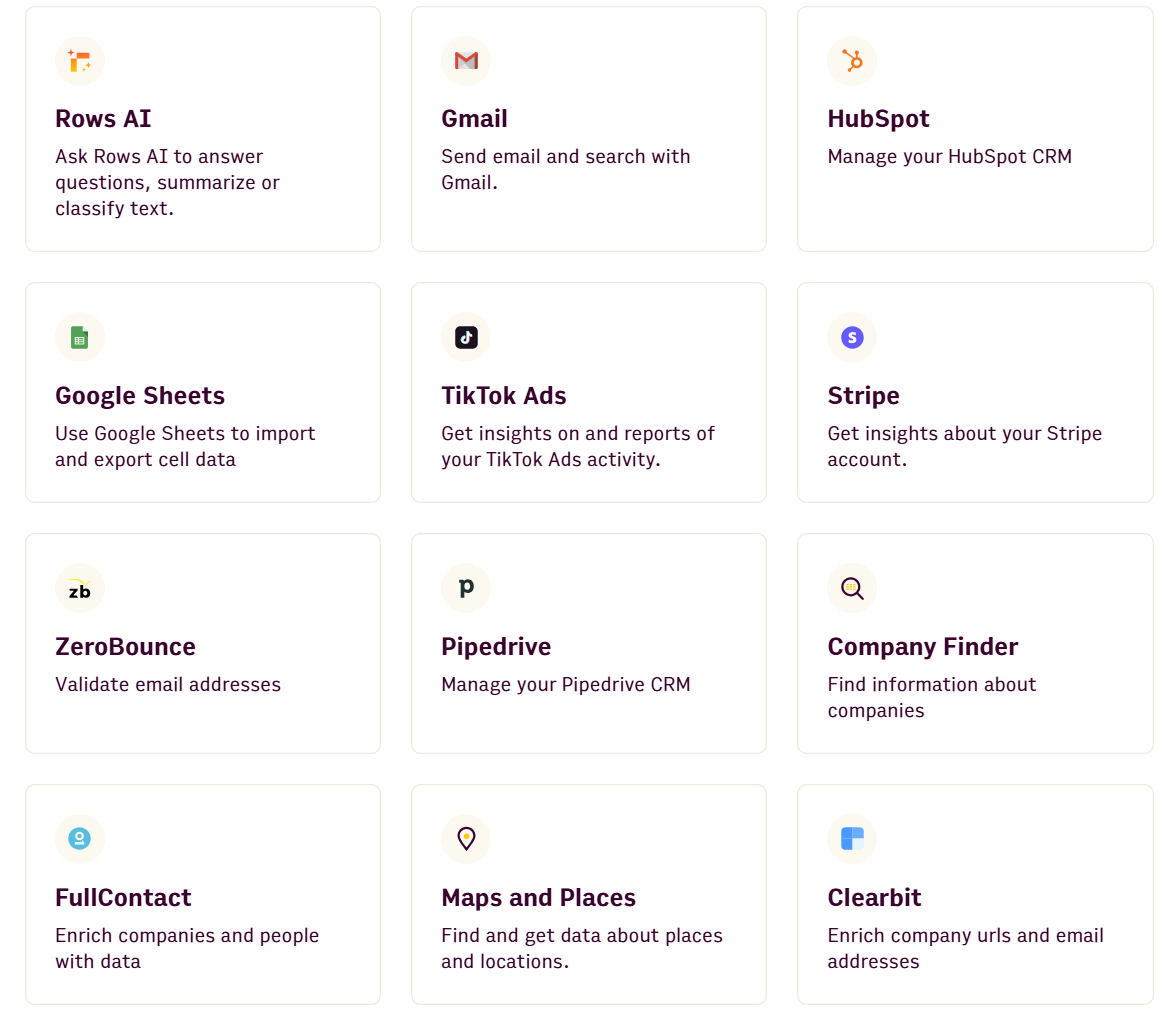
Solves data gathering: It has 50+ native connectors to automatically fetch live data from your tools and databases (BigQuery, MySQL, GA4, Ads, Stripe, Salesforce, etc.). This is the solution to the "data gathering" problem that ChatGPT, add-ins (Formula Bot), and even chatbots (Julius) don't truly solve.
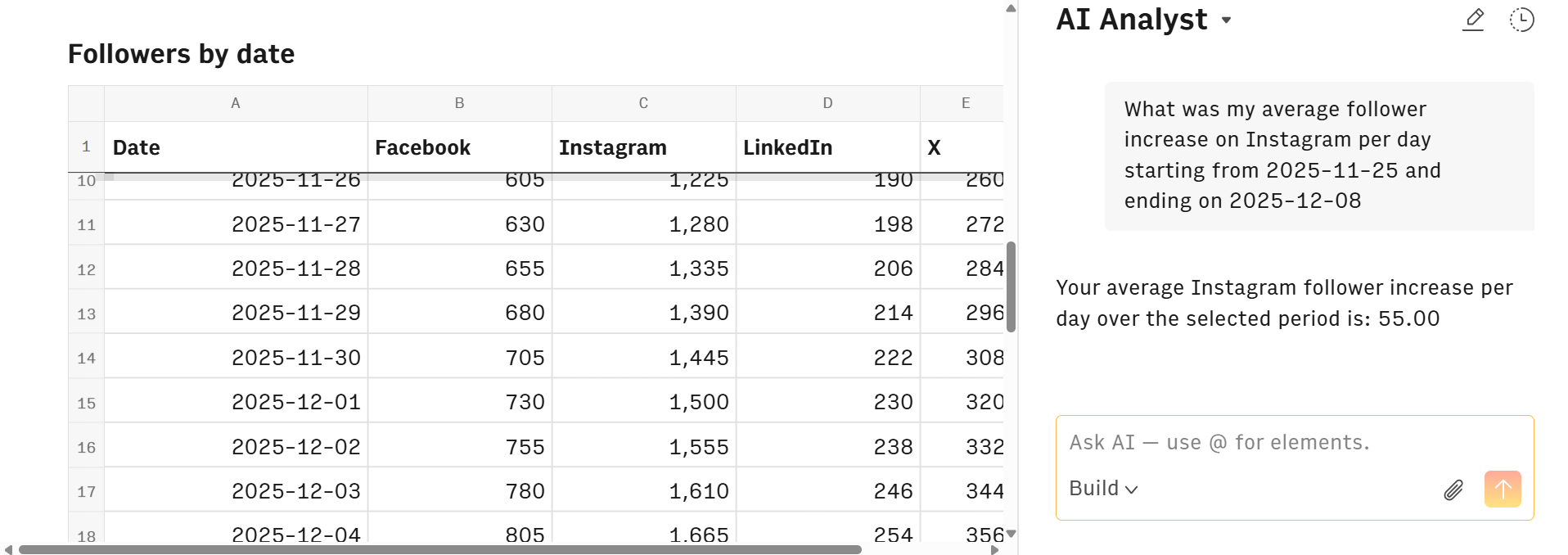
Solves analysis: The AI Analyst works across all your connected data using plain English, living inside the persistent document. It can:
Add calculated columns without formulas.
Join multiple tables with intelligent column matching.
Create pivot tables and aggregations conversationally.
Run predictive modeling and forecasting.
Perform sentiment analysis and text classification.
Execute Python-powered analytics through natural language (no coding required).
It's not a temporary chat window; it's a permanent partner that works across all your connected data, allowing you to iterate, automate, and build.
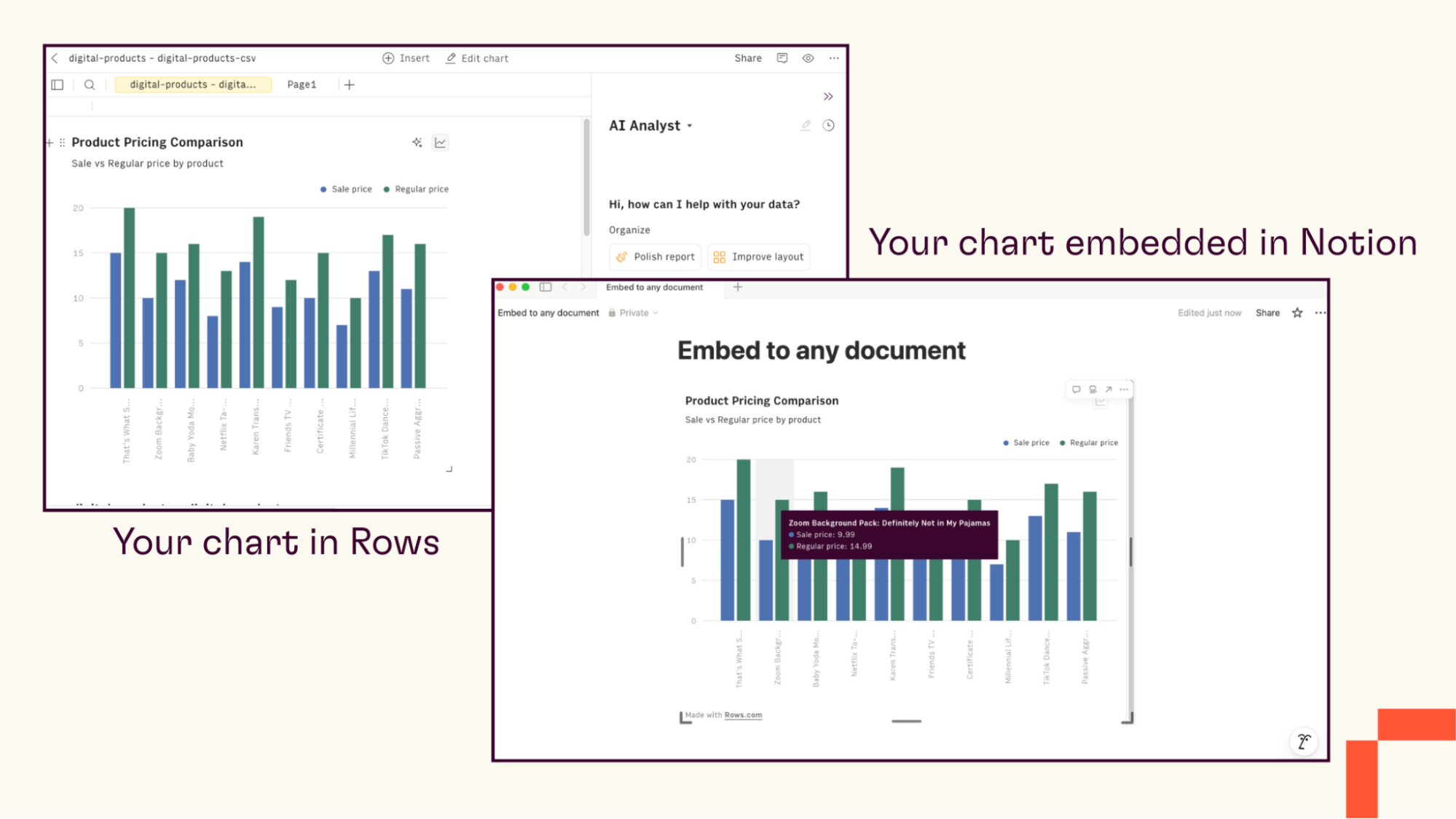
Solves workflow: Because it's built on a spreadsheet backbone, the output isn't just an answer in a chat. You are building a live, shareable, and automated report that your entire team can use, finally ending the "weekly export" cycle. You can:
Embed interactive reports in Notion, websites, or internal wikis.
Set up automated data refreshes on schedules.
Share reports that update automatically as source data changes.
Collaborate with your team in real-time on the same document.
Best for: Small to medium teams (5-100 people) with moderate datasets who need more than basic spreadsheets but less than enterprise BI infrastructure.
Keep in mind, this lane is not for "big data." For instance, Rows is optimized for tables up to ~100,000 rows, making it the perfect fit for business teams, not massive data warehouses.
For those business teams, Rows can make a huge difference, however. Especially if you’re looking for an iterative solution with an excellent AI assistant built from the ground up to help you analyze data easily.
"I'm constantly downloading data and spreadsheets from an internal database and uploading to ChatGPT for analysis. This saves me several steps and a lot of time, and the AI assistant is great for getting exactly what I'm looking for with data analysis. So glad I found this tool!"
– Tim Cigelske, VP of Marketing & Comms

Your personal AI Analyst
Get answers, draw insights, build charts, and run what-if scenarios. All by asking.
Try it (no signup)Lane 3: Enterprise BI for governed, large-scale reporting
This lane is for large organizations with dedicated data teams and massive datasets. These aren’t going to be suitable for small business teams that require cost-effective solutions.
This category is dominated by the major cloud ecosystems: Microsoft Power BI, Tableau (Salesforce), and BigQuery Studio + Gemini (Google).
Microsoft Power BI
Best for:
Organizations already using Microsoft 365 and Azure.
Deep analysis from wide variety of sources with Azure Machine Learning integration.
Predictive analytics built into dashboards.
Teams that need tight integration with Excel, SQL Server, and other Microsoft tools.
Limitations:
Requires Microsoft 365 ecosystem for full value.
Complex licensing structure can be difficult to understand.
Not a spreadsheet – you can't directly manipulate data in cells.
Tableau

Best for:
Interactive visualization with minimal programming.
Creating sophisticated business intelligence dashboards with drill-down capabilities.
Teams that prioritize visual design and storytelling with data.
Organizations already using Salesforce CRM.
Limitations:
Expensive compared to Lane 1 and 2 options.
Steep learning curve for building complex visualizations.
Requires dedicated training and often a Tableau specialist on staff.
BigQuery Studio + Gemini

Best for:
Running predictive analytics and forecasting with BigQuery ML.
AI-assisted SQL and Python code with optimization recommendations.
Sentiment analysis and processing unstructured image/video data with Vertex AI Vision.
Natural language analysis through conversational chat interface (Gemini in Looker).
Limitations:
Complex pricing model based on usage makes costs unpredictable.
Requires technical expertise in SQL and cloud infrastructure.
Best suited for organizations already using Google Cloud Platform.
Tradeoffs
These are powerful, complex tools. Because of this, they often come with:
Steep learning curves: Expect weeks or months of training.
Enterprise-level pricing: Often starting at hundreds or thousands per month.
Technical requirements: You need data engineers, not just analysts.
They're not designed for the quick, cell-based analysis most business teams need. You can't just double-click a cell and edit a value like you would in a spreadsheet. Unfortunately, that means data is less accessible for teams without a data analyst.
Only choose this lane if:
You’re handling millions of rows regularly.
A business is integrating with enterprise data warehouses (Snowflake, Redshift, BigQuery).
You require advanced, multi-team data governance with row-level security.
At-a-glance AI data analysis tool comparison
That’s a lot of info, we know. So, for you page-scrollers out there, have a look at the handy table below:
Tool category | Tool | Best for | Connects to live data | Beginner-friendly | Free version | Key limitation |
|---|---|---|---|---|---|---|
Lane 1: General LLMs | ChatGPT | One-off exploration, learning concepts, single dataset analysis | No: Manual upload only | Yes | Yes, but strict usage limits on the free tier. | Can't connect to business tools; struggles with large datasets |
Lane 2: AI-first analysts | Formula Bot | Writing formulas in existing sheets | No (add-in version) | Yes | Free trial available | Doesn't solve data gathering |
Julius AI | One-off live data exploration | Some (Google Sheets, Ads) | Yes | Yes | Analysis doesn't persist; hard to automate | |
Rows | Automated recurring reports, team workflows | Yes: 50+ connectors (GA4, Salesforce, Stripe, Ads) | Yes | Yes | Optimized for up to ~100,000 rows | |
Lane 3: Enterprise BI | Power BI | Multi-team dashboards, Azure ecosystem | Yes. Extensive enterprise integrations | No | Limited desktop version | Steep learning curve; Microsoft ecosystem required |
Tableau | Visual storytelling, sophisticated dashboards | Yes. Extensive enterprise integrations | No | 14-day trial | Expensive; requires specialist training | |
BigQuery Studio + Gemini | Millions of rows, ML predictions | Yes. Google Cloud Platform | No | Pay-as-you-go | Requires SQL expertise; unpredictable costs |
Your personal AI Analyst
Get answers, draw insights, build charts, and run what-if scenarios. All by asking.
Try it (no signup)What about free AI data analysis tools?
Have you ever heard that the best things in life are free? Well, perhaps not always for AI data analysis tools. While there are options available, they often come with some hefty limitations:
Tool | What it offers | Best for | Key limitation |
|---|---|---|---|
ChatGPT (free tier) | Can view files and generate analysis code | Quick tests and learning | Very strict usage limits – only a few analysis tasks per day |
Open-source, powerful, completely free | Users comfortable with visual programming | Steeper learning curve – not a simple "no-code" tool | |
Code-first environment (Python/R notebooks) | Learning data science | Not a "no-code" analytics tool for running your business | |
AI add-in for Google Sheets/Excel | Enhancing existing spreadsheets | Limited free tier; doesn't solve data-gathering problem |
The most practical option is a tool with a generous free tier. Rows, for example, is built on a freemium model that lets you get started immediately, connect your data, and use the AI analyst without paying. You can test it with real business workflows, not just toy datasets, before committing to a paid plan.
We believe in Rows' capabilities. So much so that we don’t hide it behind a paywall.
Choose your lane and get insights today
The choice is no longer overwhelming.
Need a flexible chatbot for a single file? Use a general LLM like ChatGPT.
Need a governed, large-scale system for your data warehouse? You need enterprise BI like Power BI or Tableau.
Need an end-to-end platform to automatically fetch live data from your business tools and analyze it in a persistent, collaborative document? You need an AI analyst like Rows.
According to Alberto Manassero, Product Growth at Rows:
“Data analysis is no longer the exclusive domain of data scientists. AI tools now give marketing managers, finance leads, and founders direct autonomy over their data, without waiting three days for an analyst to answer a simple question.”
If you want to have that independence yourself, see Rows in action: Explore AI analyst datasets you can duplicate in one click and make your own.
Get started for free with Rows, connect your data in minutes, and ask your AI Analyst your first question.